paged.draw — vector illustration

Illustrator-class drawing, on the page

Illustrator-class vector drawing inside the layout: pen and shape tools, pathfinder, live paint, symbols and blends, on the same page as your text.

AGPL-3.0 OR PMEL·canary — usable, moving fast·0.1.0-canary.16·github.com/paged-media/plugin-draw ↗

19
tools
101
commands
10
pathfinder operations
11
panels
Drawing that writes the document

Not a layer above the page — the page itself

paged.draw has no content type and no renderer of its own. Every tool and command writes the same polygons, paths and frames the engine already models, so a drawing is ordinary page geometry: it takes swatches, sits in layers and saves into IDML like anything else on the spread.

Curvature, Pencil, Paintbrush, Blob Brush, Eraser and Width draw; Add, Delete and Convert anchor edit polygons, rectangles, text frames and graphic lines. Shape Builder, Knife, Scissors, Lasso, Eyedropper, Measure, Corner Radius and the Gradient Annotator round out the 19 tools — with tool options in the host's popover and one undo step for almost every command.

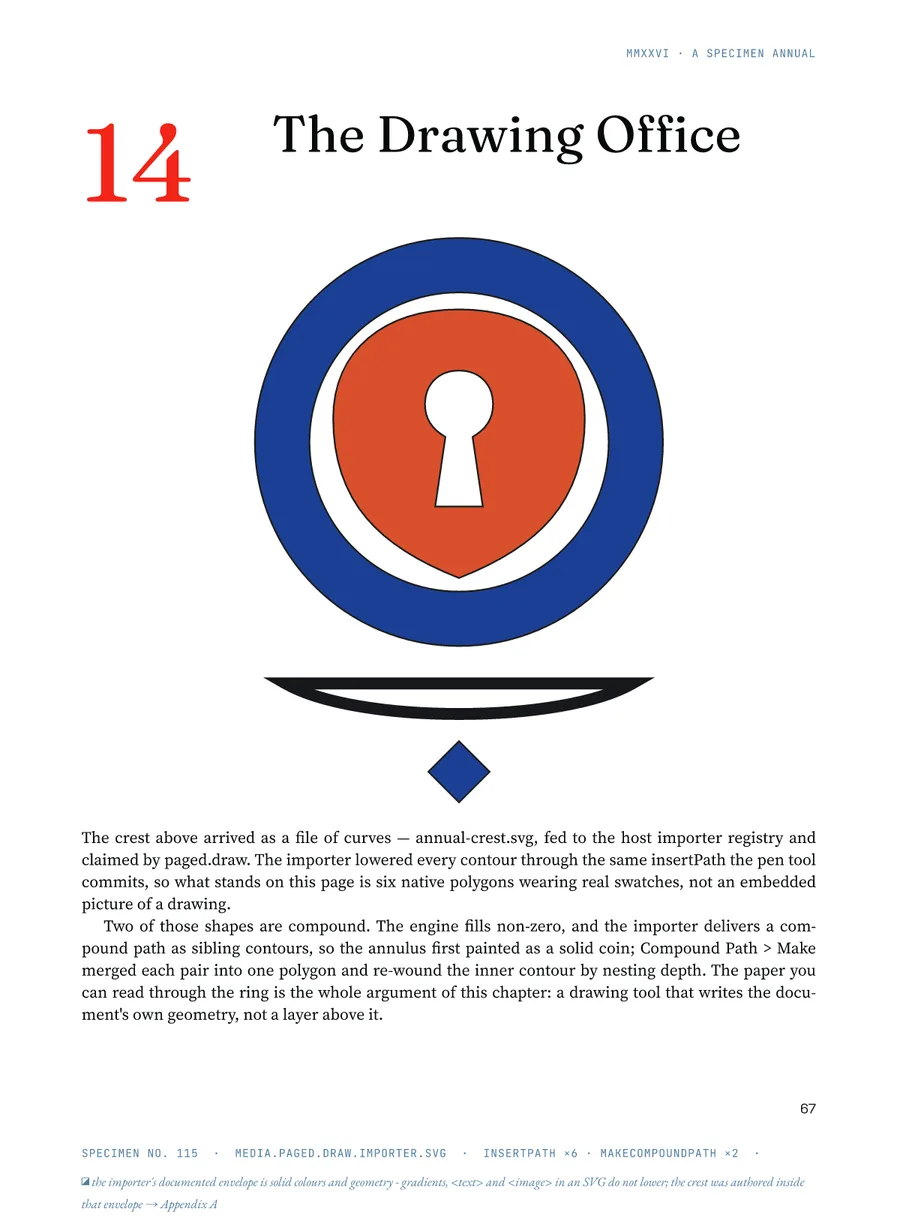
The Drawing Office opener: a crest imported from an SVG file arrives as six native polygons wearing real swatches; two compound paths keep the paper visible through the ring.
Pathfinder and path commands

Ten pathfinder verbs, one planar kernel

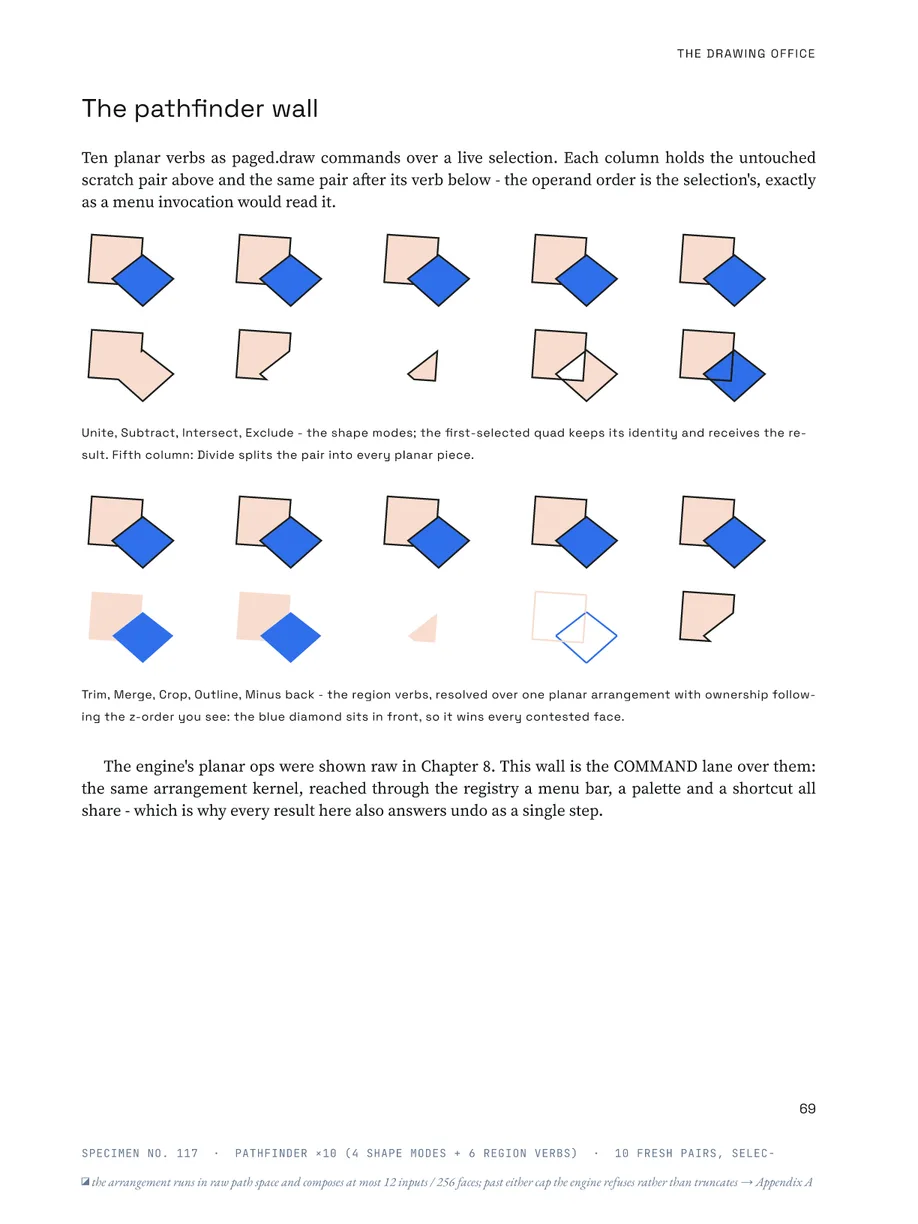
Unite, Subtract, Intersect and Exclude are the shape modes; Divide, Trim, Merge, Crop, Outline and Minus back are region verbs resolved over one planar arrangement, with ownership following the z-order you see. Each lands as a single undo step, from the menu, the palette or a shortcut.

The pathfinder wall: ten fresh pairs, each shown before and after its verb — Unite, Subtract, Intersect, Exclude and Divide above; Trim, Merge, Crop, Outline and Minus back below.
Outline and offset
Outline stroke; Offset with miter, round or bevel joins and a miter limit.
Clean-up
Simplify, Join, Close, Average endpoints, Reverse path direction.
Compound paths
Make and release, with inner contours re-wound by nesting depth.
Constructions
Insert arc, spiral, rectangular grid and polar grid; Reflect and Transform again.
Selection by likeness
Select same fill, stroke or stroke weight, with a tolerance.
Create outlines
A text frame's glyphs become compound paths, one per fill colour, in one undo step.
Appearance, graphic styles, symbols

Several fills and strokes — and styles that stay linked

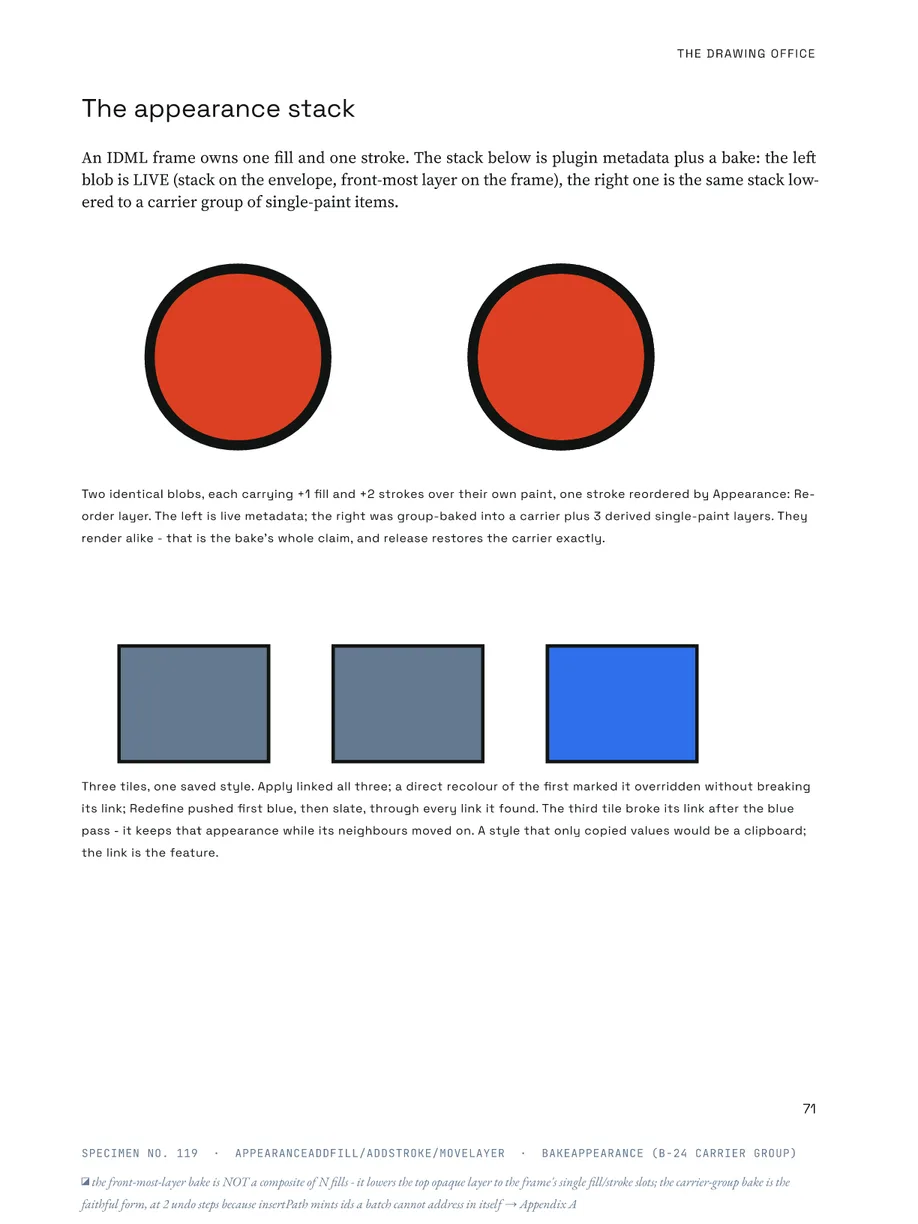
An IDML frame owns one fill and one stroke. The Appearance panel puts several of each on one object; Bake lowers the stack to a group of single-paint items any IDML reader understands, and Release restores it exactly.

Graphic styles are named appearances that objects stay linked to. Symbols are named artwork with placed instances. Both libraries are stored in the .paged file, each with its own panel.

The appearance stack: a live stack beside the same stack baked to single-paint items, rendering alike; below, three tiles linked to one graphic style — a redefine travels through every link still standing.
Constructions with a recipe

Repeat, blend, pattern, live paint

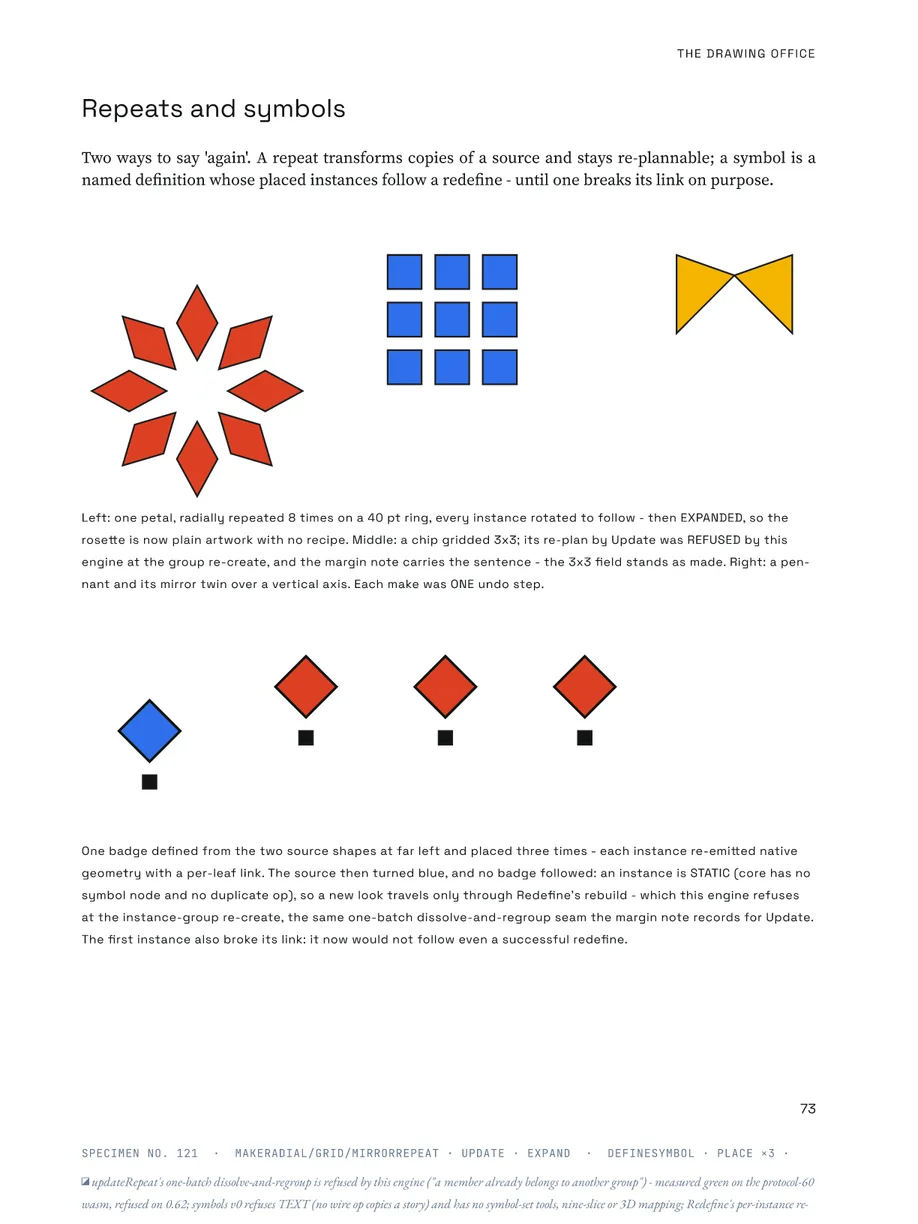
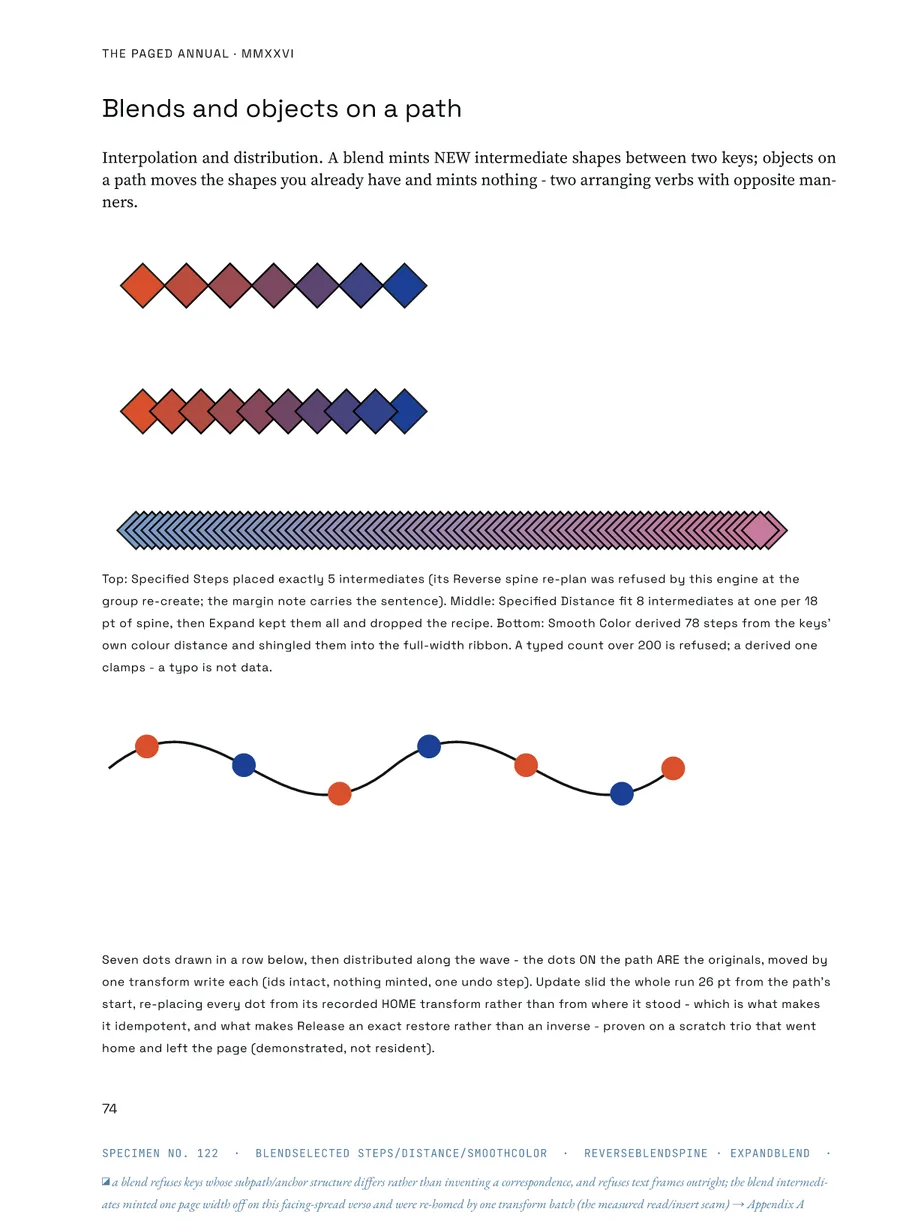
Radial, grid and mirror repeats; blends by specified steps, specified distance or smooth colour; objects distributed along a path; patterns; live paint buckets over the faces of crossing paths; opacity masks; type on a path; and image trace, which turns a placed raster image into grouped, filled paths (in a worker where the host offers one). Each construct keeps a stored recipe with commands to make, update and release it.

The Paged Annual — symbols
The Paged Annual — blends
Left: a petal repeated eight times on a ring, a 3×3 grid and a mirrored pennant, then one badge defined as a symbol and placed three times. Right: blends by steps, by distance and by smooth colour, and seven dots distributed along a wave — the originals moved, nothing new minted.
Live — paged.draw as its own application

The drawing app, in this tab

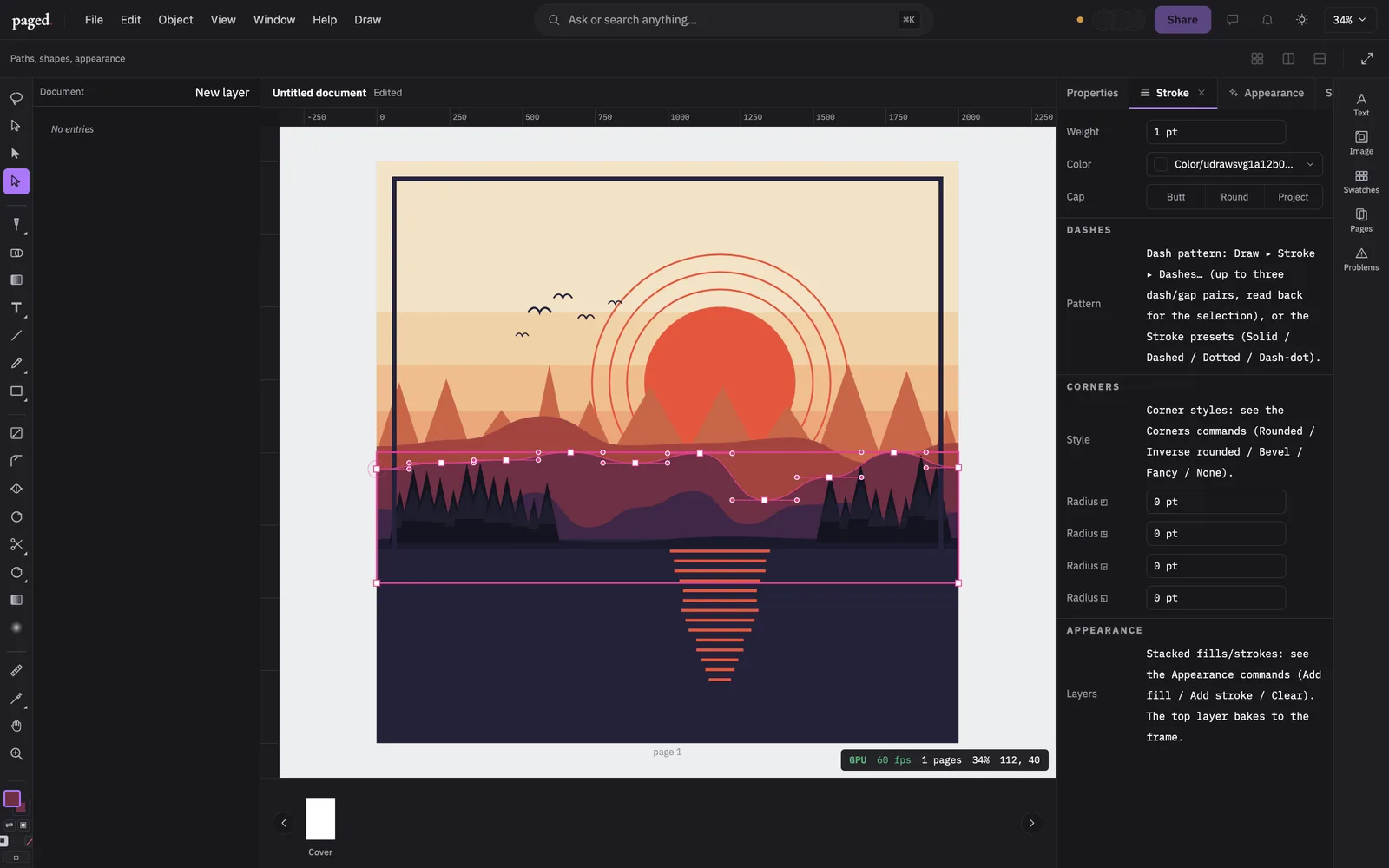
Solo mode boots the real editor with paged.draw's cockpit: its tools on the rail, its panels docked, the page as an artboard. Nothing is installed and nothing leaves the browser.

The paged editor booted as paged.draw
Needs a browser with WebGPU (Chrome, Edge, Safari 26).open full screen ↗
How it lives in a document

Shapes are page items; recipes are parts

What you draw is native: polygons, paths, groups and swatches in the spread, exactly what the IDML that InDesign opens contains. What is not geometry — the recipe behind a blend or repeat, a symbol library, a graphic style, an appearance stack — is stored by the plugin as its own part types inside the .paged container. Baking an appearance lowers it to plain items, so nothing is lost on the way to InDesign. SVG comes in through an importer and goes out through an exporter for the selection.

A drawing tool that writes the document’s own geometry.

The full list of what ships and what does not is in the repository’s status record ↗.

Spec sheet — from the registry, not from marketing

paged.draw features

Plugin · draw · 39
Add-anchor plan (split segment at on-curve click)
plugin-draw.anchor-add
stable· 16 tests
Convert-anchor plan (corner ↔ smooth)
plugin-draw.anchor-convert
stable· 14 tests
Delete-anchor plan (nearest within tolerance, contour floor)
plugin-draw.anchor-delete
stable· 13 tests
Appearance model — multi fill/stroke metadata stack + baked top layer (Tier B)
plugin-draw.appearance
stable· 6 tests
Appearance panel v0 — the metadata stack, with the bake limit stated in the UI
plugin-draw.appearance-panel
stable· untested
Blends v1 — three spacing modes over a real spine (grew the tool-wave-2 blend v0)
plugin-draw.blends
stable· 2 tests
Brush tools v0 — paintbrush, blob brush, eraser (calligraphic nib sweep)
plugin-draw.brush-tools
stable· untested
paged.draw bundle manifest (media.paged.draw) + activate skeleton
plugin-draw.bundle-manifest
stable· 5 tests
Compound paths — make / release, with real non-zero holes
plugin-draw.compound-paths
stable· 2 tests
On-canvas corner-radius tool — the live-corners row's predicted handle
plugin-draw.corner-radius-tool
stable· 1 test
vectorGraphic edit context — live enter/exit via contribute.editContext
plugin-draw.edit-context-live
stable· 2 tests
Eyedropper — sample element properties and apply to the selection
plugin-draw.eyedropper
stable· untested
Fill panel as a declarative schema panel — the second W3.1 consumer, with a published binding
plugin-draw.fill-schema-panel
stable· untested
Cubic bezier kernel — de Casteljau split, eval, closest-t, flatten
plugin-draw.geometry-bezier
stable· 2 tests
Anchor/handle math — corner, mirror, smooth-from-drag, angle constrain, affine
plugin-draw.geometry-handles
stable· 2 tests
RDP polyline simplification + perpendicular segment distance
plugin-draw.geometry-rdp
stable· 2 tests
Graphic styles — a named, LINKED complete appearance with override DETECTION
plugin-draw.graphic-styles
stable· 2 tests
Headless conformance corpus over published canvas-wasm
plugin-draw.headless-conformance
stable· 3 tests
Image Trace v0 — raster to editable vector over visioncortex
plugin-draw.image-trace
experimental· untested
Layers BINDING PROVIDER — paged.draw serves the HOST Layers panel (ADR 023 phase D)
plugin-draw.layers-binding-provider
stable· untested
Layers panel — the panels/layers.panel.json prototype made real (expert-leaf React)
plugin-draw.layers-panel
deprecated· untested
Live Corners — Rounded/Inverse/Bevel/Fancy/None presets via frameCornerOption*/Radius* + live marker (Tier B)
plugin-draw.live-corners
stable· 2 tests
Live Paint v0 — regenerable face paint over the planar arrangement (NOT live)
plugin-draw.live-paint
experimental· 2 tests
Measure readout drawn on-canvas via the overlay text primitive
plugin-draw.measure-overlay-text
stable· untested
Objects on a Path — distribute / align / pivot / reorder by TRANSFORM; it moves your objects and creates none
plugin-draw.objects-on-path
stable· 2 tests
Opacity-mask commands — the paged.draw consumer of the C-28 protocol-58 door
plugin-draw.opacity-mask-commands
stable· 2 tests
True Join — closePath / joinPaths over the v56 engine ops
plugin-draw.path-weld
stable· 2 tests
Pattern editing v1 — a re-editable tile field (step-and-repeat artwork, NOT a pattern swatch)
plugin-draw.pattern-bake
experimental· 2 tests
Pen tool state machine (click/drag anchors, modifier matrix, close, commit)
plugin-draw.pen-machine
stable· 12 tests
Pressure-aware pencil — variable-width strokes via outlineStrokeVariable
plugin-draw.pencil-pressure
stable· 5 tests
Phase 4c pro path toolset — curvature/pencil/measure machines + simplify/join/average/offset/outline/pathfinder/gradient/arrowheads commands
plugin-draw.pro-path-toolset
stable· 8 tests
Repeats v1 — radial / grid / mirror, and the repo's first ONE-undo build
plugin-draw.repeats
stable· 2 tests
Select-same by fill / stroke / stroke-weight (Tier A — pure selection, no mutation)
plugin-draw.select-same
stable· 2 tests
Shape Builder gesture tool — drag-unite / Alt-drag-subtract over pathfinderBoolean (Tier B)
plugin-draw.shape-builder
stable· 2 tests
Stroke dash-pattern command presets (Solid/Dashed/Dotted/DashDot)
plugin-draw.stroke-dash-commands
stable· 2 tests
Stroke panel as a declarative schema panel (W3.1 adoption)
plugin-draw.stroke-schema-panel
stable· 2 tests
SVG import + export — the K-2 interchange round-trip (Phase 8)
plugin-draw.svg-io
stable· 2 tests
Symbols v0 — a named artwork DEFINITION and instances that follow it
plugin-draw.symbols
experimental· 2 tests
Width, blend, lasso-select, parent-group cycling, parametric generators
plugin-draw.tool-wave-2
stable· 2 tests

39 features · commit-pinned snapshot · the same rows the team plans by