paged.doc — Word documents

Word, typeset

Open a Word .docx as native, editable layout — lists, tables, images, footnotes, headers and footers — and save your edits back into the same file.

AGPL-3.0 OR PMEL·canary — usable, moving fast·github.com/paged-media/plugin-doc ↗

0
bytes changed on an unedited round-trip
1
oracle: Word's own pagination
4
engine operations opened for Word content
3
real 50-page documents measured line by line
Lowering — Word becomes the engine's own text

A .docx becomes paragraphs you can set

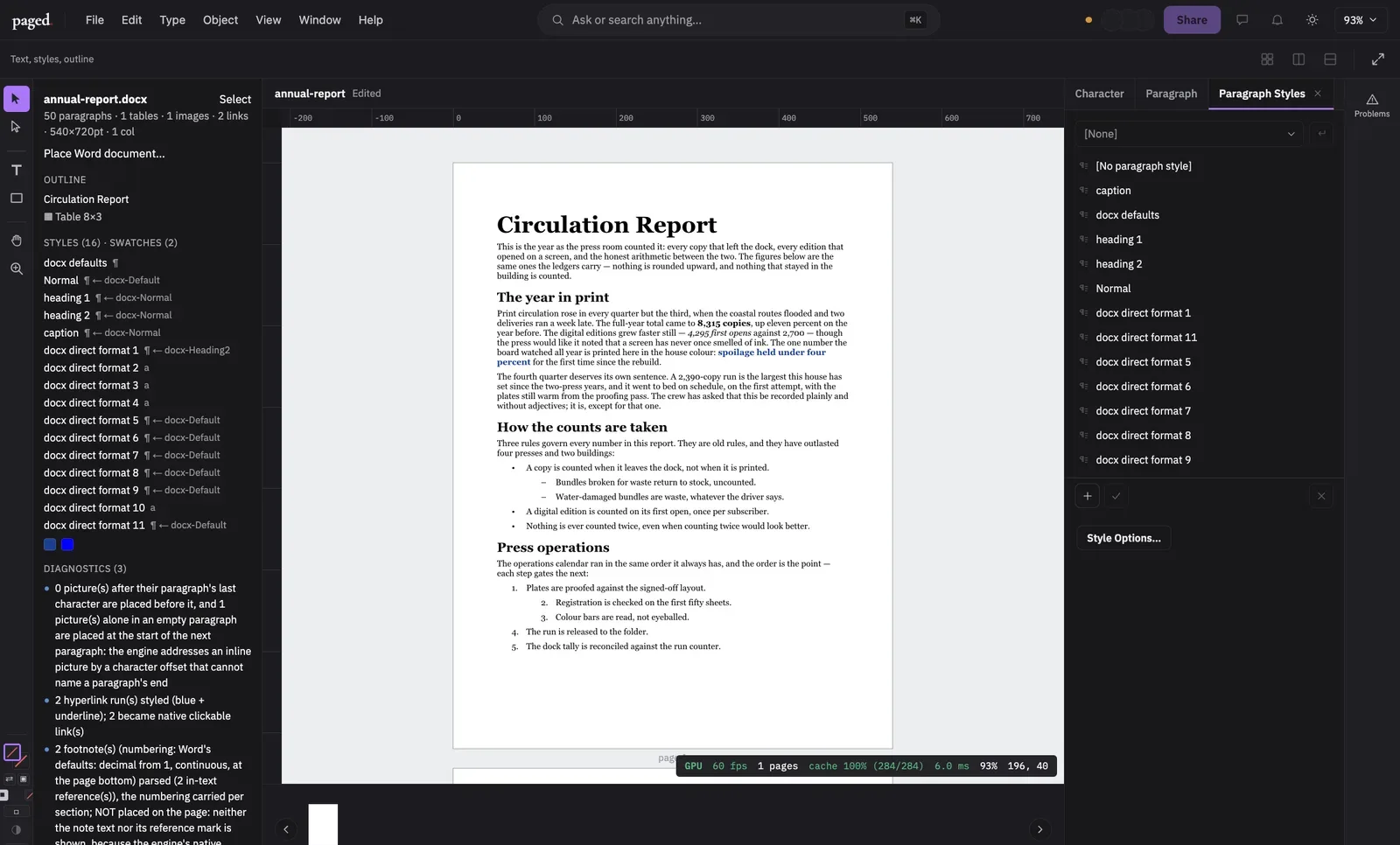
paged.doc does not embed a Word viewer. It reads WordprocessingML and lowers it onto the engine’s own text and flow model: styled paragraphs of runs, paragraph and character styles synthesized from the document’s styles.xml, swatches for its colours, and its page geometry and sections.

What you get is ordinary layout. It edits with the editor’s text tools, paginates through the engine’s composer and prints like any other story. The original .docx travels in the container beside it.
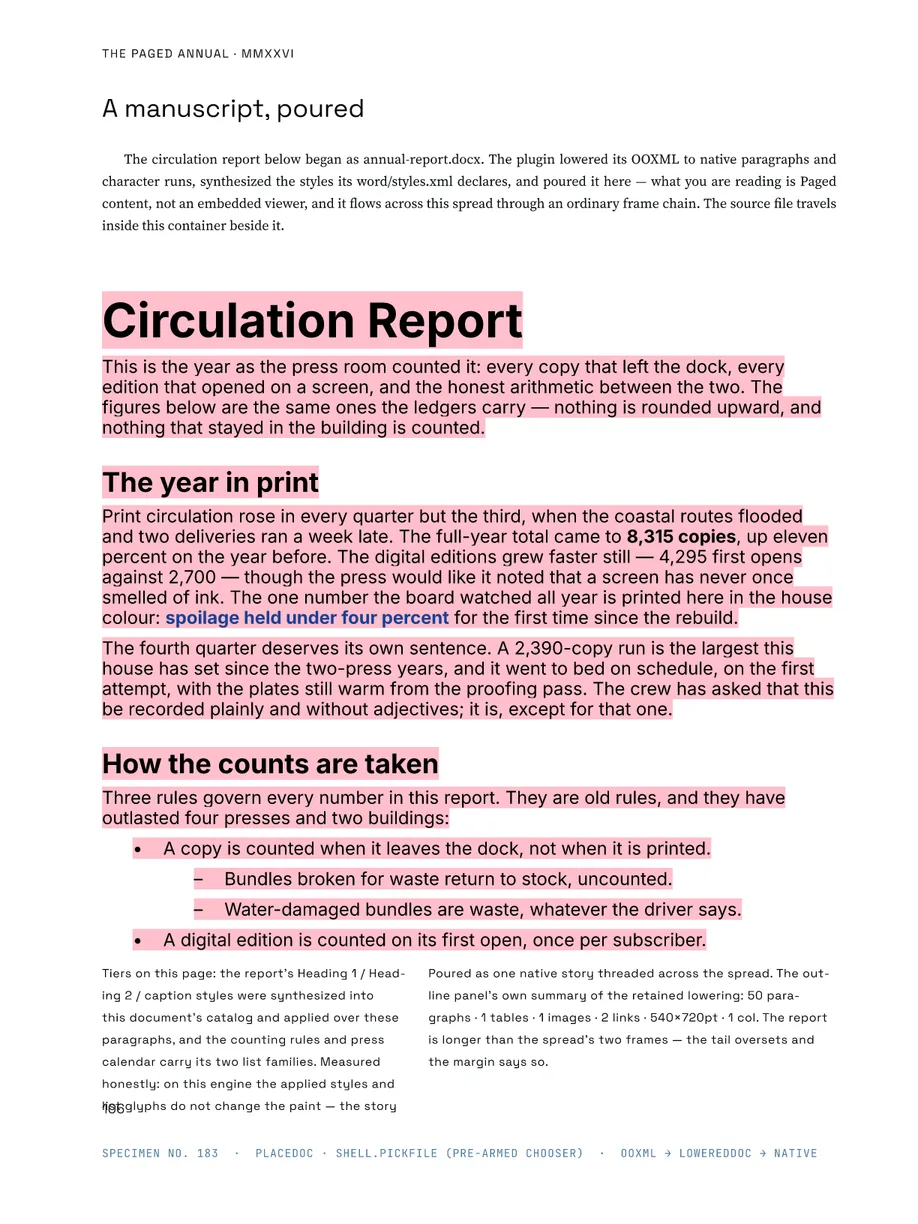
The Paged Annual, page 116: a Word circulation report poured into the layout as one native story. Headings, bold and coloured runs, a hyperlink and two list families came from the .docx. The pink is the editor's missing-font highlight: the document names a face this build does not have.
Coverage — the constructs real documents use

Lists, tables, pictures, links

Lists
Bullet and numbered lists resolved through numbering.xml into native list paragraphs, with Word's symbol-font bullets turned into Unicode.
Tables with merges
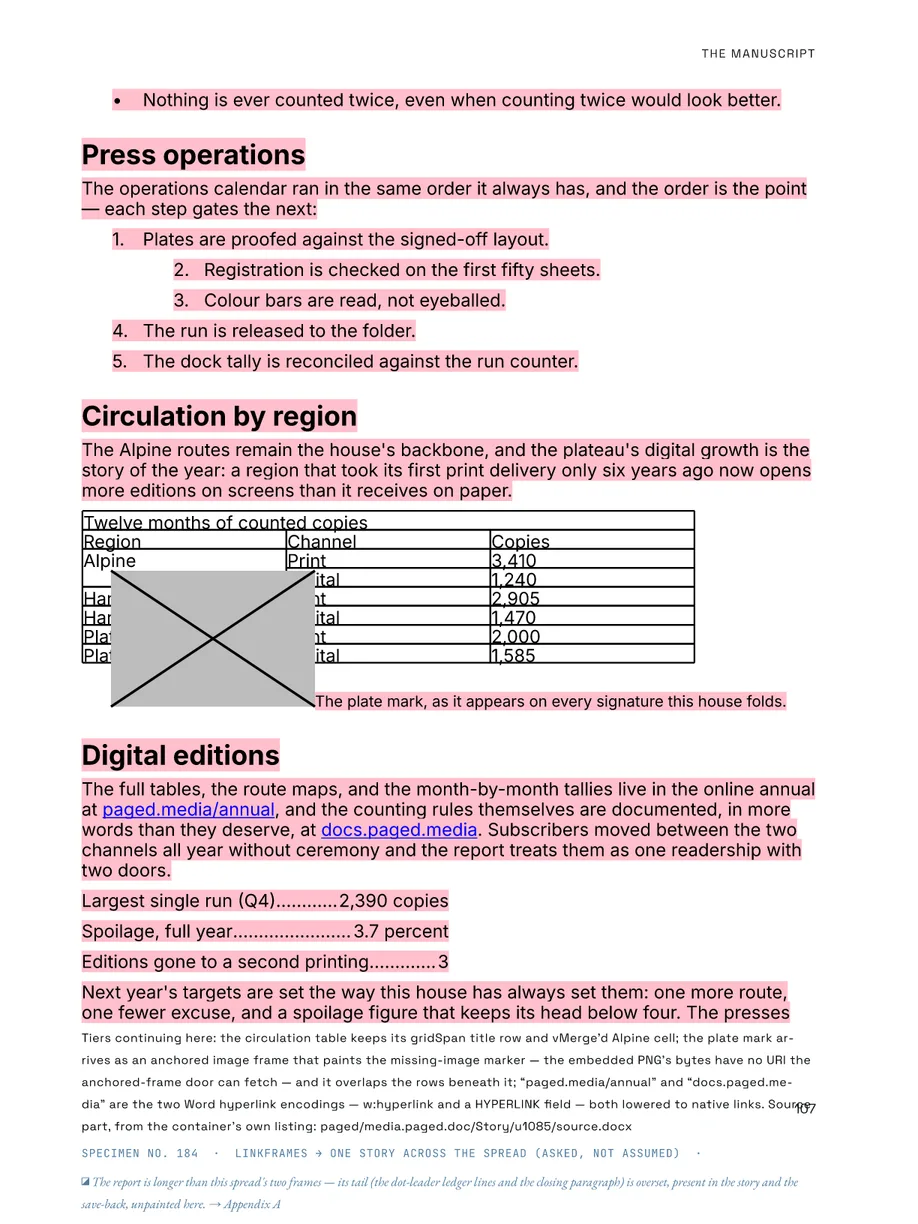
Grid widths, gridSpan and vMerge become native table cells with row and column spans; cell text keeps its styling.
Pictures
Inline drawings become anchored image frames at their paragraph.
Hyperlinks
Both w:hyperlink and HYPERLINK fields become native, clickable links.
Breaks and columns
Page and column breaks, odd and even sections, and mid-page column changes, matched against Word's own page maps.
Footnotes, headers, footers
Read with Word's inheritance and numbering, checked page by page against Word's PDF — carried and reported, not yet placed on the page.
The Paged Annual, page 117: numbered lists, a table with a spanned title row and a vertically merged cell, two hyperlinks in both of Word's encodings, and dot-leader tabs. The anchored picture shows the missing-image marker and overlaps the table — recorded in the Annual as found.
Round-trip — targeted patches, not a rewrite

Your edits go back into the same file

Saving writes edits into the retained .docx as a byte-level patch. Only the changed subtrees of document.xmlare rewritten — a run’s text and formatting, paragraph properties, inserted and deleted runs, table rows and columns — and every other part and every untouched subtree stays byte-identical. Formatting the import synthesized as a style goes back as direct formatting, so Word sees no clutter.

Open a document and save it without editing, and the file comes back byte for byte. In the editor the round-trip is pinned by a journey test: a .docx is opened, edited through the engine, saved, and styles.xml and an unknown custom part are compared byte for byte with the source.

Pagination — measured against Word, and not there yet

Word decides where the page breaks

Every layout rule paged.doc follows is checked against what Word does: Word saves a fixture as PDF, and the lowering is compared with Word’s own page map. That is how breaks, continuous sections, column changes, widow control, table cell margins and repeating header rows were settled.

The bar is a real 50-page document paginating like Word: the same page count, and the same paragraph starting at least 95% of pages. Three real documents of 50 to 61 pages were measured line by line. None meets the bar yet — the best page-start match is 8% — and every deviation is itemised. Most of what is left is engine work: footnote areas and a few of Word’s line-breaking rules.

Live — the real editor, booted as paged.doc

Open a Word file in the browser

paged.doc
The paged editor, booted as paged.doc. It runs in this tab.open full screen ↗
Spec sheet — from the registry, not from marketing

paged.doc features

Plugin · doc · 16
Atomic pour — the place path adopts Mutation::Batch for text steps (C-14)
plugin-doc.atomic-pour
stable· 2 tests
The wordDocument surface — objectType + editContext declaration (ADR-024)
plugin-doc.edit-context
stable· 4 tests
Embedded placement — a .docx poured into a host frame via host mutations
plugin-doc.embedded-placement
stable· 26 tests
File entry — the .docx/.dotx importer and the "Place Word document…" command
plugin-doc.file-entry
experimental· 10 tests
Identity-based LCS alignment — the preservation invariant under every derived edit
plugin-doc.identity-alignment
stable· untested
Depth-aware table locator — a nested table cannot misdirect an outer edit
plugin-doc.nested-table-locator
stable· untested
OPC container + verbatim carry-through preservation (paged-ooxml)
plugin-doc.opc-foundation
stable· 16 tests
Outline/styles panel — the retained LoweredDoc surfaced in the editor
plugin-doc.outline-panel
stable· 4 tests
DOCX read path — body, styles, lists, tables, images, hyperlinks, notes
plugin-doc.read-path
stable· 21 tests
Edited save-back — targeted byte-level patch of word/document.xml
plugin-doc.save-back
stable· 45 tests
Save-back refusal ledger — the patcher's skips reach the Problems panel
plugin-doc.save-back-feedback
stable· 1 test
Paragraph-property save-back — a targeted `<w:pPr>` rewrite
plugin-doc.save-back-paragraph-props
stable· untested
Table-structure save-back — rows and columns inserted/deleted in the source bytes
plugin-doc.save-back-table-structure
stable· untested
Standalone open — a Word document becomes the whole document, a page per section that grows
plugin-doc.standalone-open
experimental· 14 tests
Verbatim export — the zero-edit .docx exporter and its degrade path
plugin-doc.verbatim-export
stable· 4 tests
Word pagination — line spacing, breaks and keeps as Word lays them out
plugin-doc.word-pagination
experimental· 30 tests

16 features · commit-pinned snapshot · the same rows the team plans by